
 [](https://github.com/siweia/NDui) [](https://github.com/siweia/NDui/tree/TBC) [](https://github.com/siweia/NDui/tree/Era)
# ScreenShot
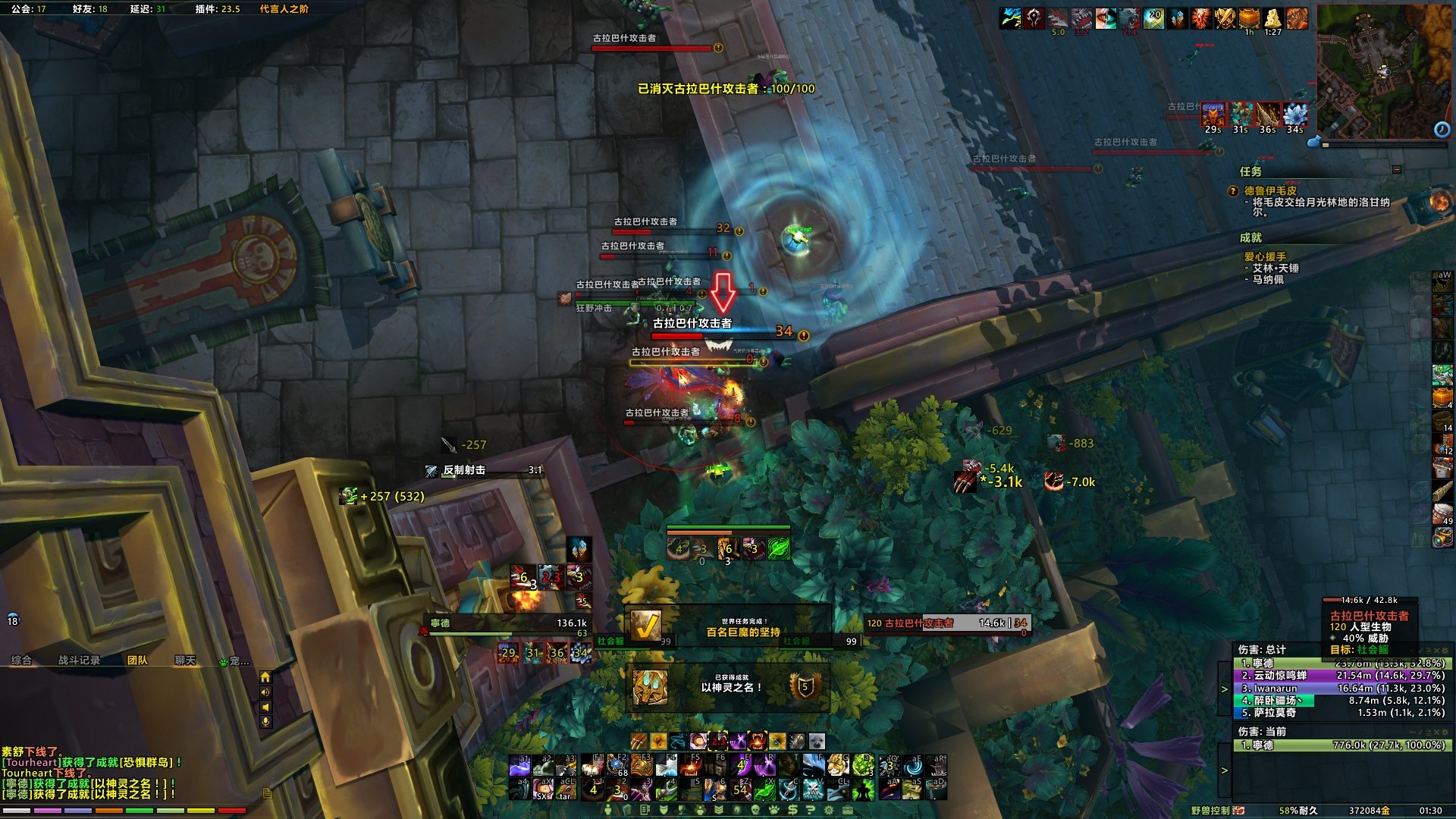
# NDui Intro
- This is not just a UI that changes your ingame appearence.
- It contains build-in auras watcher and toolbar for all specs and talents.
- Locales include 简体中文, 繁體中文, English, Russian and French.
- Published Pages: [NGA](https://bbs.nga.cn/read.php?tid=5483616) - [WowInterface](https://www.wowinterface.com/downloads/info24846-NDui.html) - [CurseForge](https://www.curseforge.com/wow/addons/ndui) - [WAGO](https://addons.wago.io/addons/ndui)
# Main Features
- Reskin default UI skins.
- Ingame config panel.
- Auras watcher for all classes with low usage.
- oUF frameworks, include **PartyFrames**, **RaidFrames** and **Nameplates**.
- PartyFrame: simple spells cooldown watcher and buff indicator for group members.
- RaidFrame: two mode for differ needs, configurable click cast and raid debuffs.
- Nameplate: highlight special units, target and mouseover highlight, dispellable auras highlight, tank treat color, auras filter.
- Chat spam filter, whisper invite.
- One-container system with filters by cargBags.
- Classbar with spells for all classes, disabled as default (Console - Auras - Enable Personal Resource).
- Raid Toolbar with ready check, count down, combat resurrect timer.
- Optional event alerts.
- Rare alert.
- Interrupt/dispell alert.
- Broken spell alert.
- Quests progress notification.
- Dungeons difficulty alert when solo.
- Placed item alerts.
- Infobars with auto sell junk, auto repair, invasion timers and quest completion check.
# Default AddOns
- !BaudErrorFrame: Error collecter
- NDui: Core for NDui.
# Skins Support
- BigWigs, DBM, Details, PremadeGroupsFilter, Rematch, Skada, TMW, WeakAuras...
# Download & Setup
1. Download and unzip the file.
2. Delete or backup your old "Interface" folder, replace with mine.
3. Log into game, and follow the tutorial.
# FAQ
**Q: I find a problem that a...**