# react-native-keyboard-avoiding-view
**Repository Path**: mirrors_EngsShi/react-native-keyboard-avoiding-view
## Basic Information
- **Project Name**: react-native-keyboard-avoiding-view
- **Description**: Focus view will slide on the window, to prevent rolling to the outside of the screen
- **Primary Language**: Unknown
- **License**: Not specified
- **Default Branch**: master
- **Homepage**: None
- **GVP Project**: No
## Statistics
- **Stars**: 0
- **Forks**: 0
- **Created**: 2020-08-08
- **Last Updated**: 2026-06-13
## Categories & Tags
**Categories**: Uncategorized
**Tags**: None
## README
# react-native-keyboard-avoiding-view
(中文版本请参看[这里](#chinese))
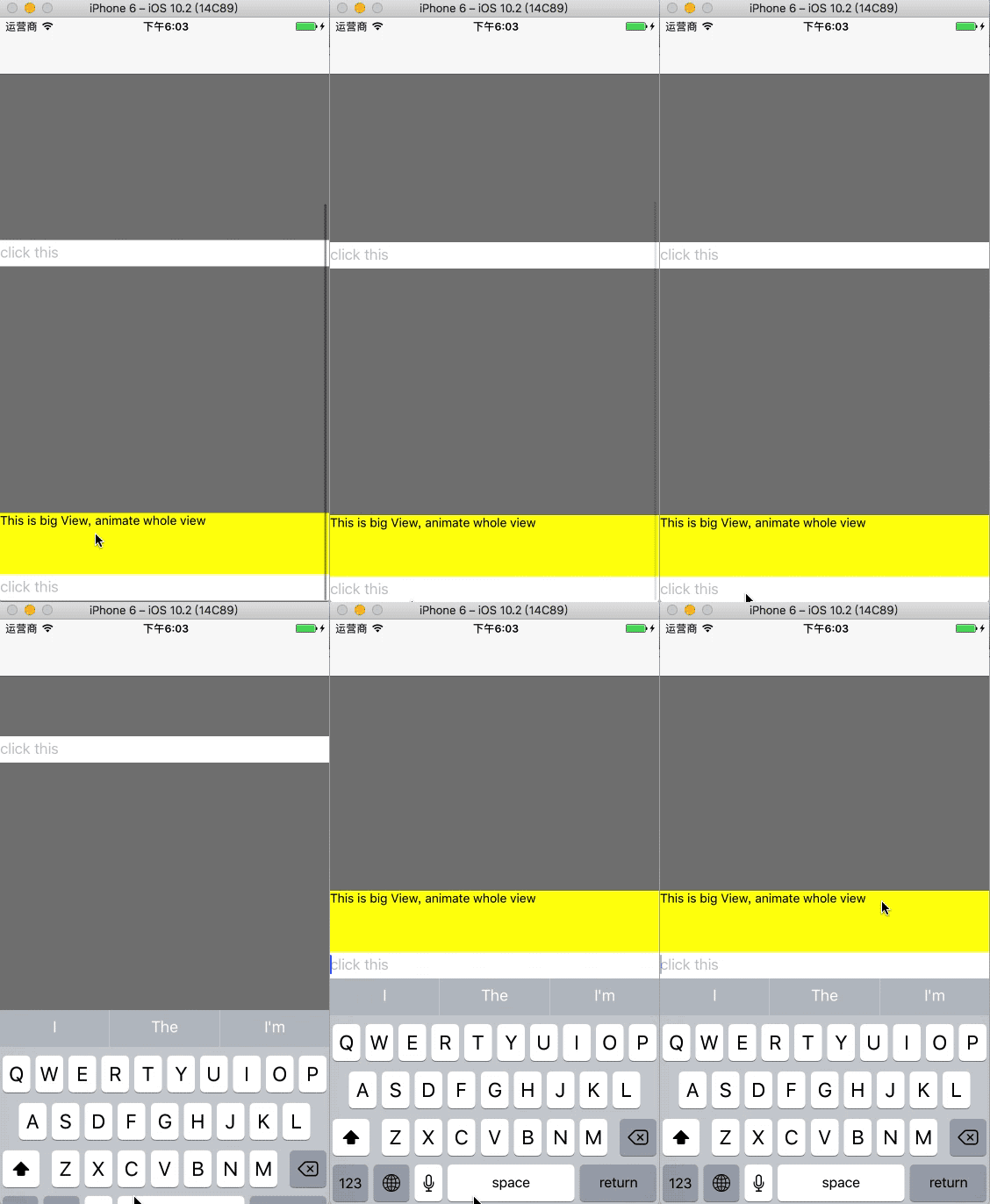
iOS Keyboard Avoiding View. Focus view will slide on the window, to prevent rolling to the outside of the screen

## Usage
`react-native-keyboard-avoiding-view` use like `ScrollView`.
```
```
1. Bind onFocus for TextInput
```
this.onFocus(this.refs.secondView)}
/>
```
2. send scroll event
```
onFocus = (focusView) => {
const keyboardView = this.refs.keyboardView;
keyboardView.focusViewOnFocus(focusView);
}
```
### extension
`focusView` can be use any view. If use super view, animate will scroll with super view.
```
this.onFocus(this.refs.firstView)}
/>
```
------
## react-native-keyboard-avoiding-view
作为系统 KeyboardAvoidingView 的扩展类,实现键盘弹起后自动滚动到TextInput位置,解决ios键盘弹起后输入框被遮盖问题。
## Usage
`react-native-keyboard-avoiding-view` 使用方式与 `ScrollView` 相同.
```
```
1. TextInput 绑定 onFocus 事件
```
this.onFocus(this.refs.secondView)}
/>
```
2. 发送滚动事件
```
onFocus = (focusView) => {
const keyboardView = this.refs.keyboardView;
keyboardView.focusViewOnFocus(focusView);
}
```
### 扩展
发送滚动事件时,`focusView` 能够传递任何view。如果传入的是TextInput的包裹view,滚动时将会按照传入的view的大小和坐标滚动。
```
this.onFocus(this.refs.firstView)}
/>
```
------