# UniRTOS-vscode-Extension
**Repository Path**: UniRTOS/UniRTOS-vscode-Extension
## Basic Information
- **Project Name**: UniRTOS-vscode-Extension
- **Description**: No description available
- **Primary Language**: Unknown
- **License**: GPL-3.0
- **Default Branch**: main
- **Homepage**: None
- **GVP Project**: No
## Statistics
- **Stars**: 0
- **Forks**: 0
- **Created**: 2026-06-16
- **Last Updated**: 2026-08-04
## Categories & Tags
**Categories**: Uncategorized
**Tags**: None
## README
# UniRTOS — VS Code Extension
UniRTOS is a unified embedded development kit developed by Quectel for its full range of cellular communication modules. It provides consistent APIs and component architecture, supports cross-platform development and efficient porting, and integrates rich middleware, drivers, protocol stacks, and application examples to accelerate the development and deployment of intelligent embedded devices.
## Features
- 🎯 **Create New Project**: Clone and create a new UniRTOS project.
- 🏛️ **Create Demo Project**: Choose a demo project and add to your current unirto proejct, or start from scratch.
- ⛩️ **Build SDK**: Build SDK from your unirtos project.
- 📸 **Flash Firmware to Module**: Flash your UniRTOS firmware to the module.
- 📜 **Requirements**: Follow the steps, to prepare your machine to build UniRTOS project.
# How to use
📰 Create New Project
## Create New Project
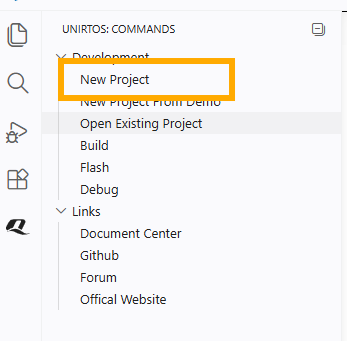
1. From UniRTOS menu -> Development -> New Project
2. Required fields will show in the panel
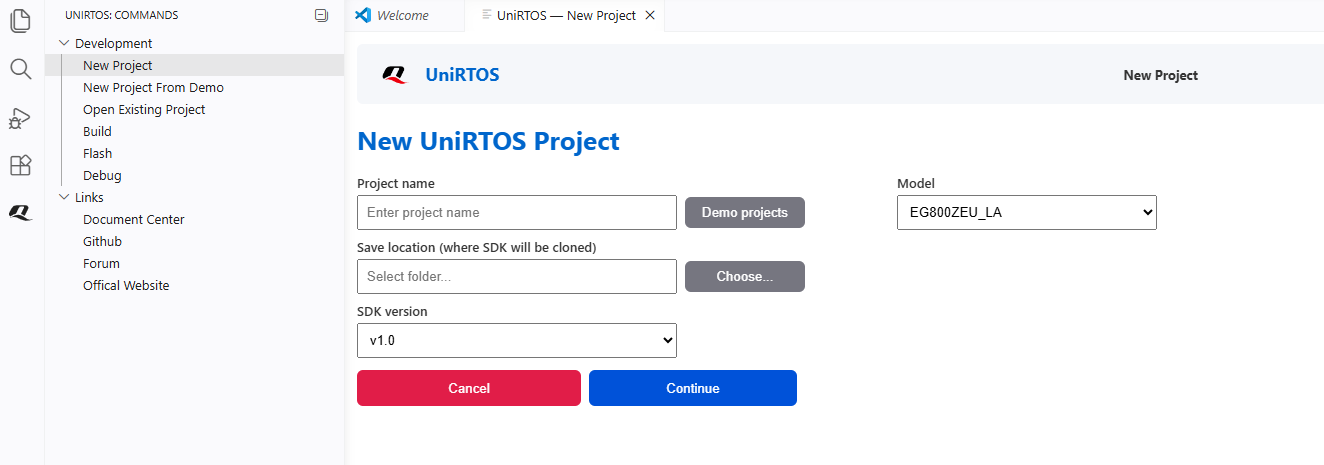
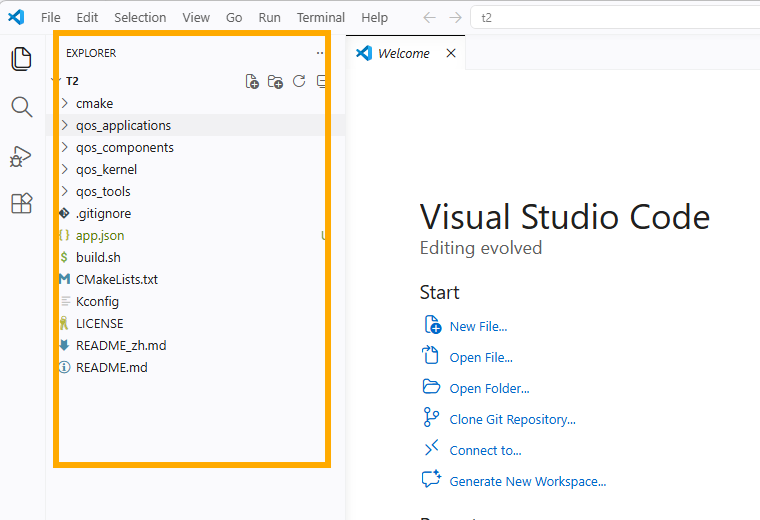
3. Fill in the required fields, and push continue. The new project will open when cloning is done
🪧 Create Demo Project
## Create Demo Project
1. From UniRTOS menu -> Development -> New Project From Demo.
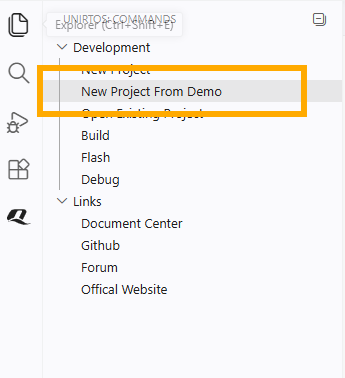
2. Required fields will show in the panel, please choose to create a new project or use the current one.
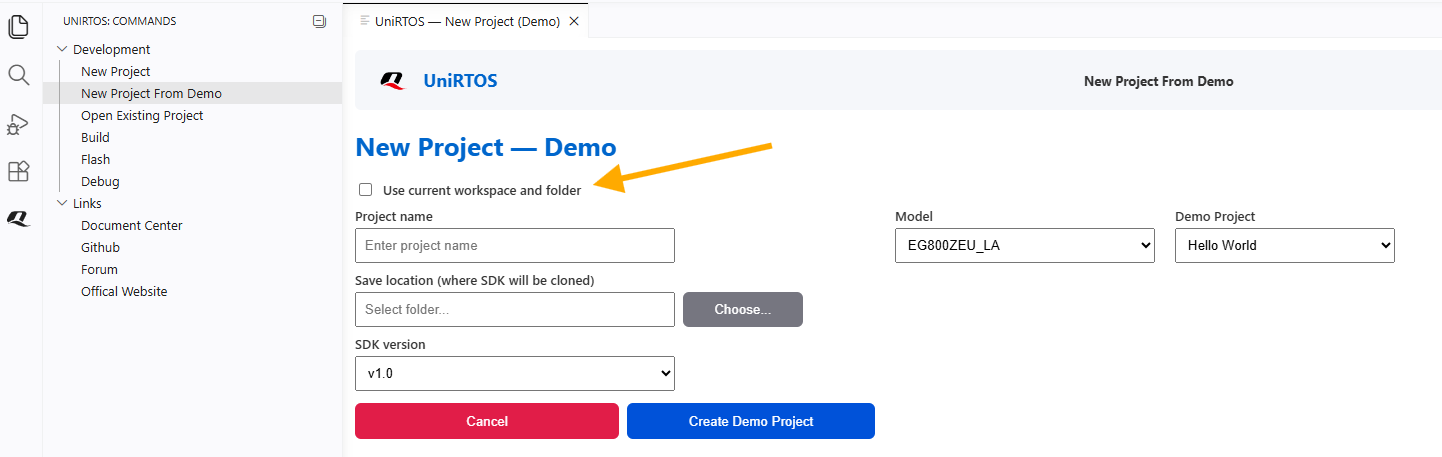
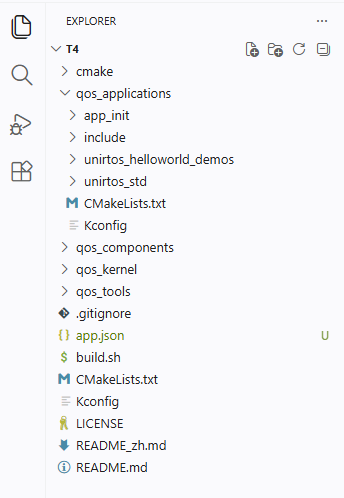
3. Fill in the required fields, and push continue. The demo project will open when cloning is done for the sdk and demo project.
👷 Build UniRTOS Project
## Build UniRTOS sdk
Note:
- Please install all requirements before building the sdk (For More info, check requirements guide)
- Please open UniRTOS project to use this feature
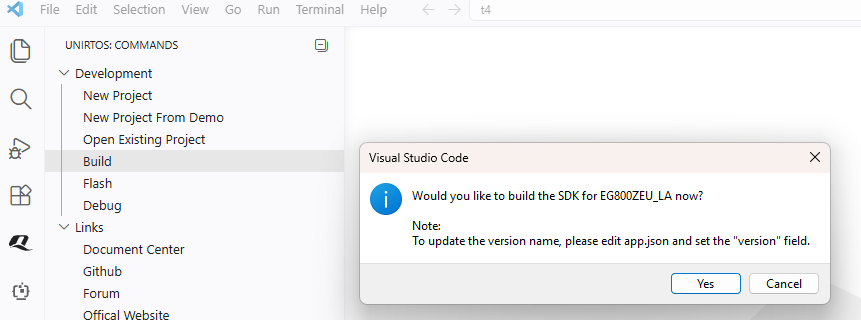
1. From UniRTOS menu -> Development -> Build.
---
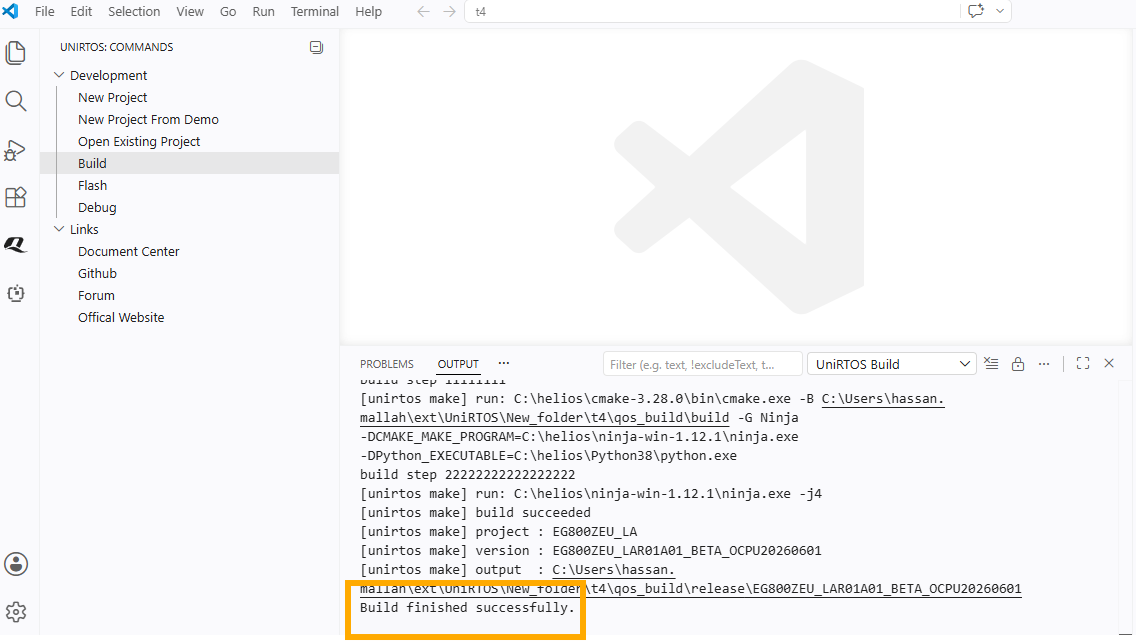
2. Output tab will open and will show the process, with successful message at the end.
🔦 Flash UniRTOS Firmware
## Flash UniRTOS Firmware
Note:
- Please install all requirements before building the sdk (For More info, check requirements guide)
- Please open UniRTOS project to use this feature
1. From UniRTOS menu -> Development -> Flash.
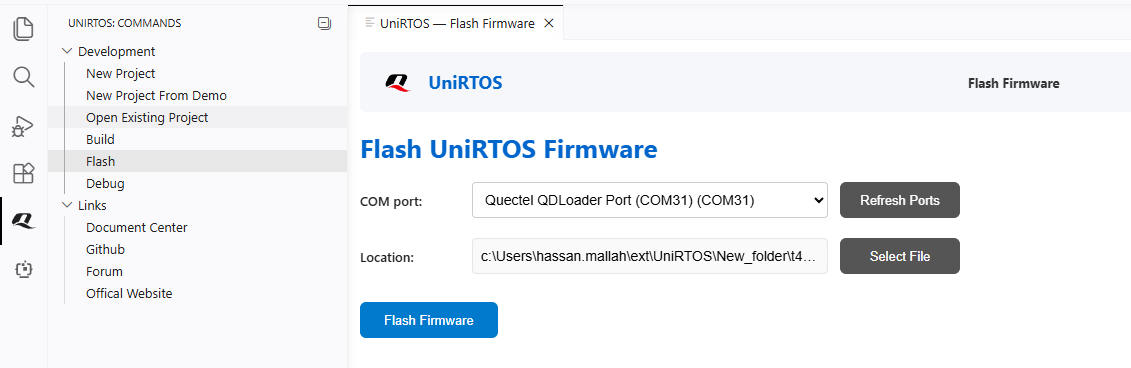
---
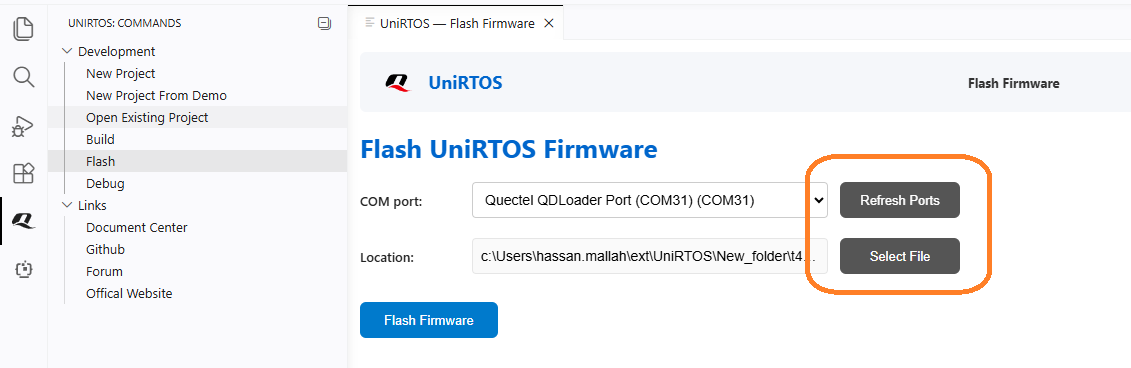
2. The extension will find the port + the config file.
Or you can find config file manually: Find quec_download_usb.ini or at_command.hbinpkg
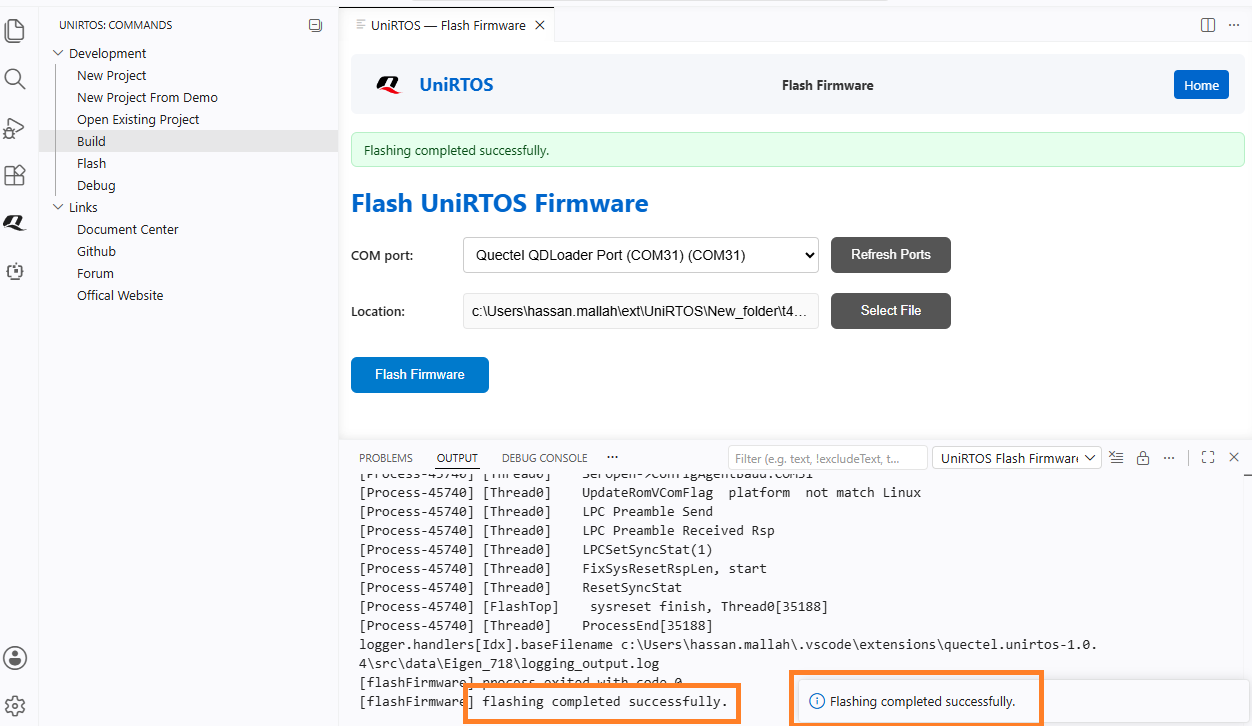
3. Output tab will open and will show the process, with successful message at the end.
✔️ UniRTOS Requirements
## UniRTOS Requirements
- Quecte Driver download link:https://developer.quectel.com/doc/files/Quectel_Windows_USB_Driver_Y.zip
- unirtos-toolchain download link:https://www.quectel.com.cn/wp-content/uploads/2026/04/unirtos-toolchain.zip
- git
- python
## License
See the [LICENSE](LICENSE) file.